![wethos_icon_light-mode-nmcocwgai7dk3bq6c54sa7ubcw.svg]](https://24346244.fs1.hubspotusercontent-na1.net/hubfs/24346244/wethos_icon_light-mode-nmcocwgai7dk3bq6c54sa7ubcw.svg)
MANAGE MULTIPLE ORGANIZATIONS
WethosAI allows you to be a member of more than one organization. Whether you're collaborating across teams, consulting for multiple clients, or managing separate departments, you can easily switch between organizations without logging out or creating a separate account.
HOW TO SWITCH ORGANIZATIONS
Log in to your Wethos account at platform.wethos.ai. You'll land on your dashboard, which displays your current organization's data, conversations, and schedule.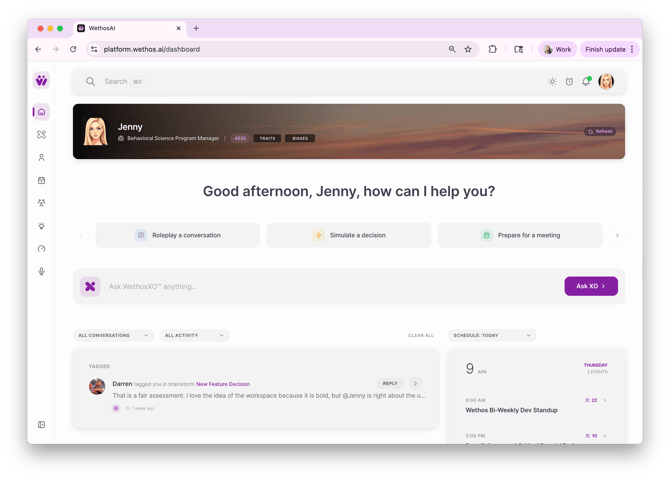
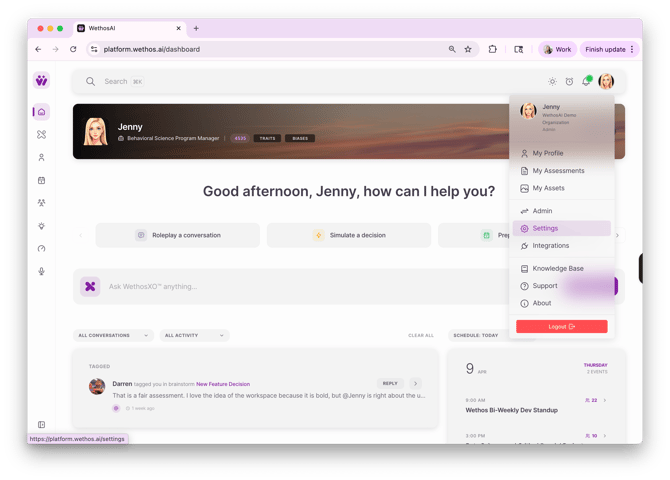
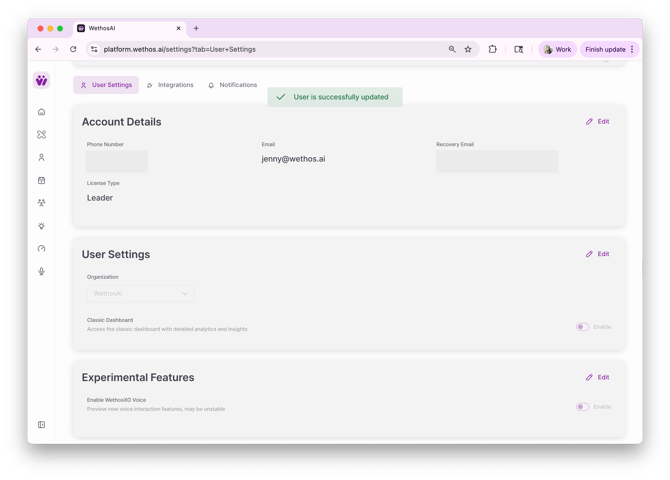
Click your profile icon in the upper-right corner of the screen. This opens a dropdown menu showing your name, current organization, and role. Select Settings from the dropdown menu. You'll be taken to the User Settings page, which includes your Account Details, User Settings, and Experimental Features.
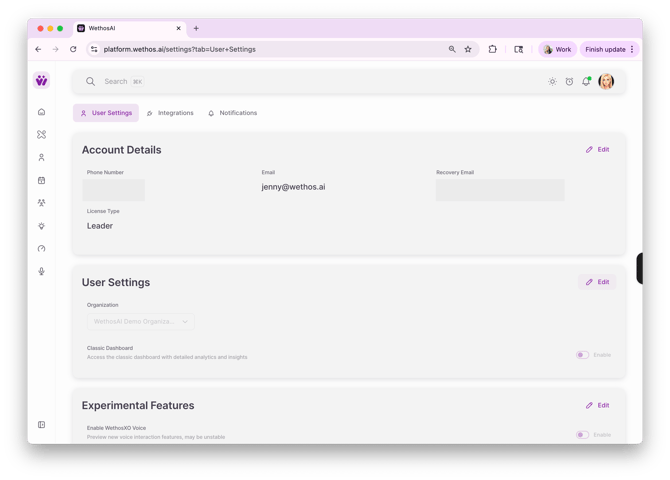
Click Edit in the User Settings section. This will make the Organization dropdown editable.
Choose your desired organization from the Organization dropdown. The menu will list all organizations you've been added to as a member.
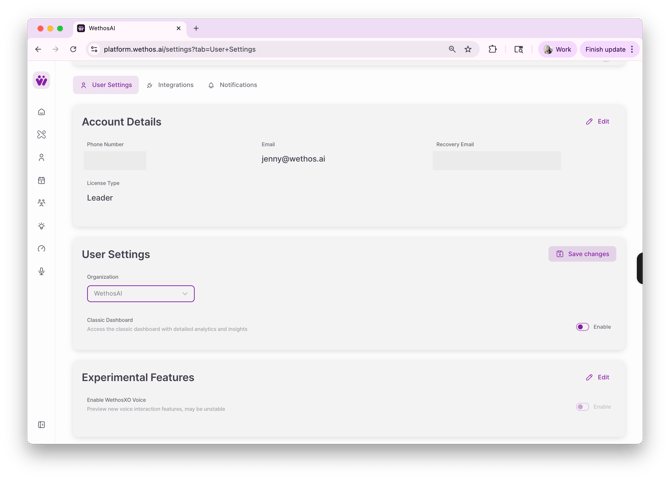
Click Save changes to confirm your selection. You'll see a confirmation message that your settings have been updated, and your dashboard will now reflect the selected organization's data, conversations, calendar events, and team activity.
THINGS TO KEEP IN MIND
- Your account details (phone number, email, and recovery email) stay the same across all organizations — only the organizational context changes.
- Your role and permissions may differ between organizations depending on how each admin has configured your access.
- If you don't see an organization you expect in the dropdown, reach out to that organization's admin to confirm you've been added as a member.