![wethos_icon_light-mode-nmcocwgai7dk3bq6c54sa7ubcw.svg]](https://24346244.fs1.hubspotusercontent-na1.net/hubfs/24346244/wethos_icon_light-mode-nmcocwgai7dk3bq6c54sa7ubcw.svg)
CORE GROUP TROUBLESHOOTING
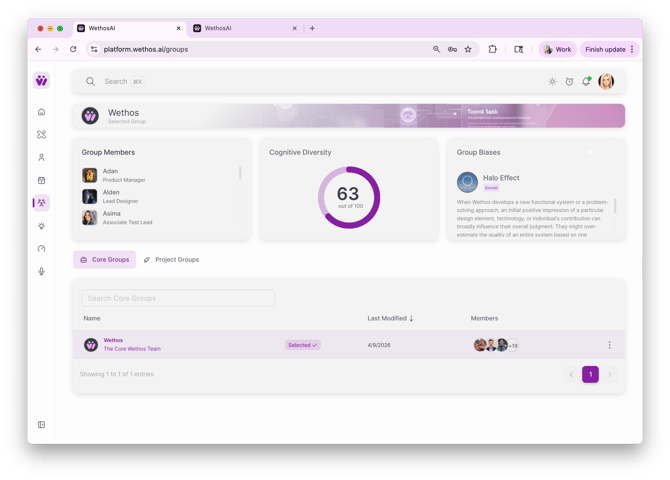
Group Members Not Appearing:
- Solution:
- Verify Membership: Double-check that team members have been added to your group within WethosAI and that their license is up to date.
- Assessment Completion: Ensure all team members have completed their WethosAI assessment or onboarding methodology of choice. This step is crucial for generating accurate cognitive diversity scores and team insights.
Kinetic View Not Loading:
- Solution:
- Refresh Page: Try refreshing your browser page. This often resolves temporary loading errors.
- Contact Support: If the issue persists, contact WethosAI support for assistance. They can investigate any underlying technical problems.
Cognitive Diversity Score Not Calculating:
- Solution:
- Assessment Completion: Make sure all team members have completed their WethosAI assessments and have been added to the correct team. The score requires data from each individual's assessment.
-
- Contact Support: If all assessments are complete, members are in the correct groups and the score still doesn't appear, reach out to WethosAI support for further troubleshooting.
PROJECT GROUP TROUBLESHOOTING
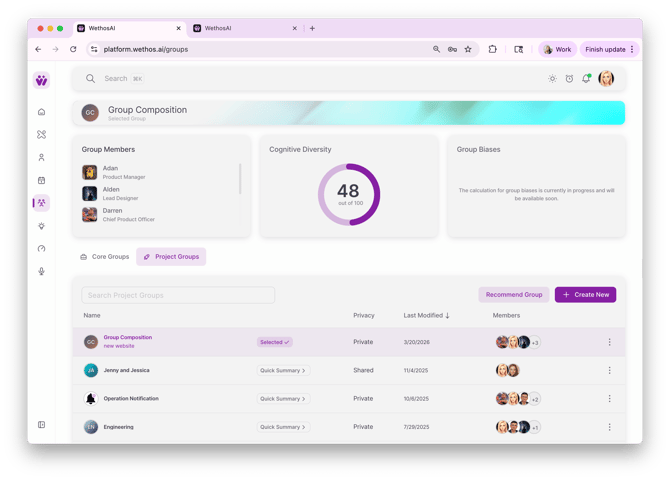
Unable to Add Members to a Project Group:
- Solution:
- Organization Check: Ensure that the group members you want to add are part of your organization in WethosAI.
- Assessment Completion: Confirm that the group members have completed their WethosAI assessments.
Project Group Details Not Loading:
- Solution:
- Refresh Page: Start by refreshing the page. This can resolve temporary loading errors.
- Contact Support: If the problem persists, contact WethosAI support for assistance.
RECOMMEND A GROUP TROUBLESHOOTING
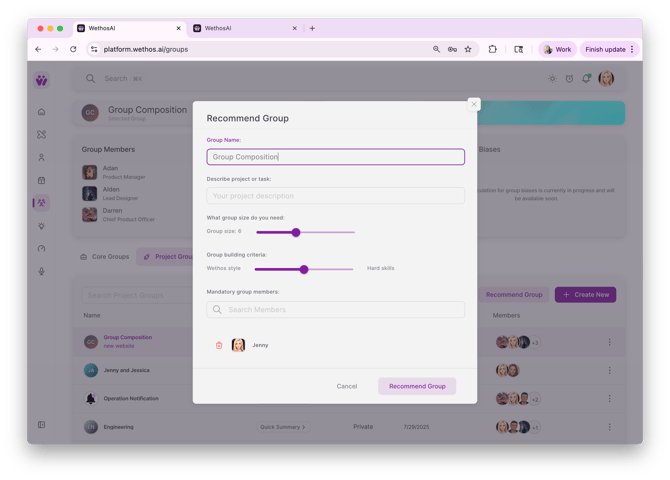
Recommendations Not Generating:
- Solution:
- Project Details: Ensure you have provided all necessary project details and team needs. This information is crucial for generating relevant recommendations.
- Contact Support: If the recommendations still don't appear, contact WethosAI support for assistance.