![wethos_icon_light-mode-nmcocwgai7dk3bq6c54sa7ubcw.svg]](https://24346244.fs1.hubspotusercontent-na1.net/hubfs/24346244/wethos_icon_light-mode-nmcocwgai7dk3bq6c54sa7ubcw.svg)
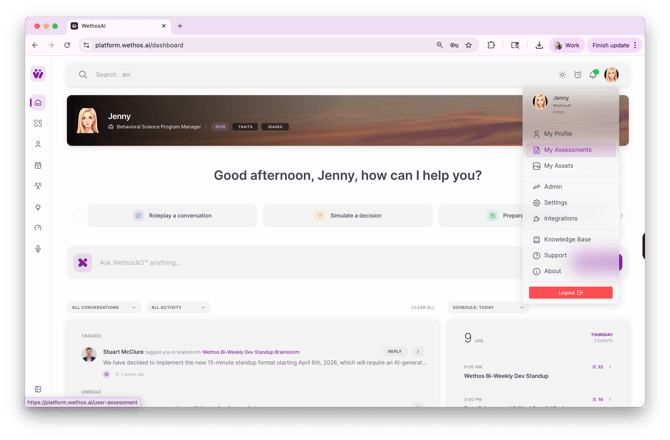
1. Click your profile icon and select My Assessments
2. Click + New Assessment
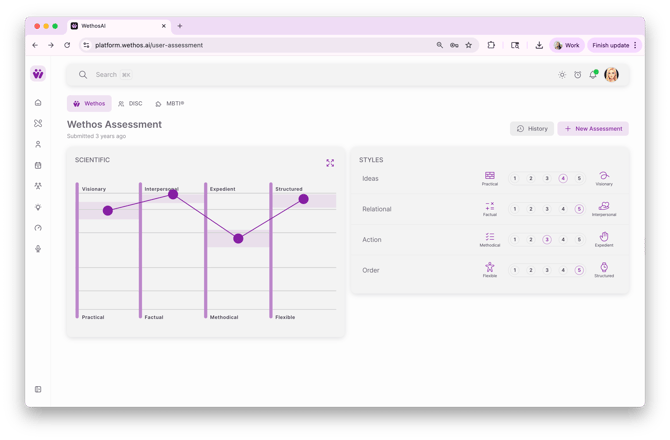
*You'll notice on this page that DISC and MBTI appear at the top. If your org has enabled these third party assessments, you can select your results to enrich your profile. See more here.
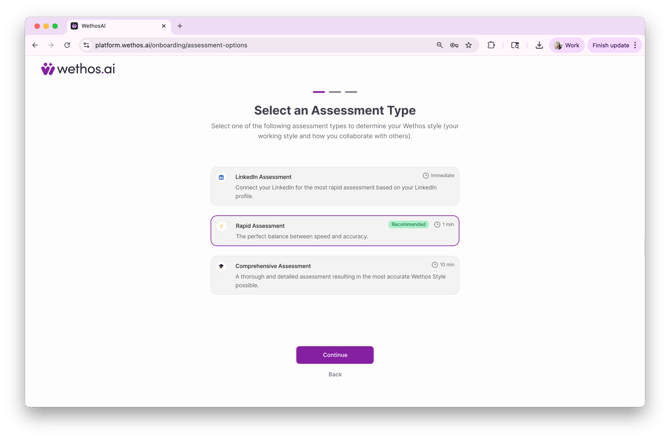
3. Choose your path to self-discovery
- Zero Assessment - Not ready to take an assessment but have a LinkedIn profile? We'll analyze what we see instantly.
- Rapid Assessment - Short on time but want solid insights? This one's for you.
- Comprehensive Assessment - Want the proven method? Choose our gold standard for the most accurate results.
* For the highest level of accuracy, we recommend completing our Comprehensive 84-Questions
Your most recently completed assessment will now become your Active assessment
PICKING A NEW ACTIVE ASSESSMENT
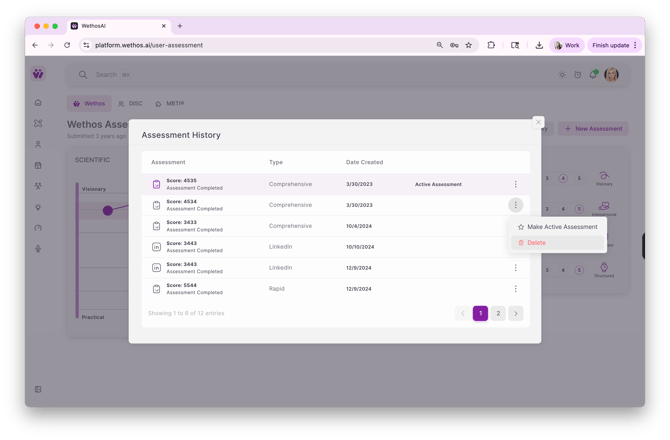
Make a different assessment Active by clicking "History" next to New Assessment, the three dots next to the assessment you want as active, then click Make Active Assessment.
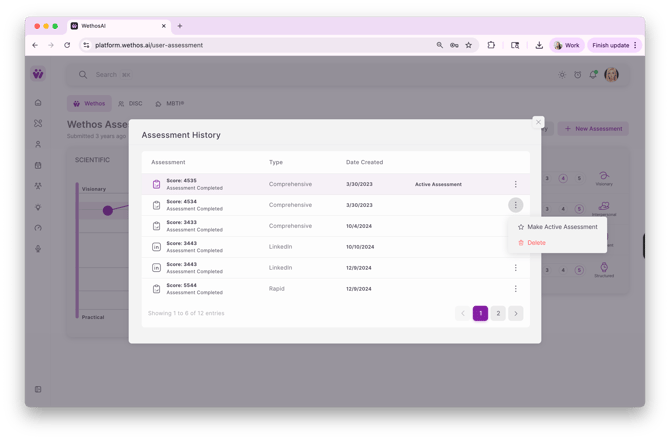
5. Delete assessments, if desired